How to optimize your Google Business Profile step by step
When someone searches for “hair salon near me” or “emergency plumber”, Google first shows a map with three businesses. What appears there comes from the Google Business Profile (formerly Google My Business). It's free, you manage it yourself and, for many local businesses, it's the shop window that the most people see, ahead of the website.
This guide goes step by step through what to check so that your profile is complete, accurate and gives people reasons to choose you. There are no tricks: Google rewards correct information, activity and genuine reviews.
Step 1: claim and verify your profile
Search for your business name on Google Maps. If you see “Own this business?”, tap it and follow the steps. If it doesn't exist, create it from business.google.com. Google will ask for verification (video, phone call, email or postcard, depending on the case). Without verification, many features won't be available and changes may take a while to go live.
Tip: use a business Google account, not an employee's personal one, and add the people who need it as managers. That way you won't lose access if someone leaves.
Step 2: exact name, address and phone number
- Name: your real one, the one on your shopfront. Adding keywords to the name (“Ana's Hair Salon – cheap highlights and balayage”) goes against Google's guidelines and can lead to a suspension.
- Address: the same everywhere (website, social media, directories). If you work at customers' homes, hide the address and set your service area.
- Phone: one that gets answered. If you have WhatsApp on that number, even better.
Step 3: choose your categories carefully
The primary category is probably the setting that most influences which searches you appear in. Choose the most specific one possible (“Tapas restaurant” rather than “Restaurant”) and add secondary categories only if you genuinely offer that service. Look at which categories similar businesses ranking at the top in your area use.
Step 4: opening hours, including special hours
Few things generate worse reviews than turning up and finding the place closed. Fill in your regular hours and add special hours for public holidays, vacations and seasonal changes. If you have different kitchen hours or a delivery service, include them in the additional hours.
Step 5: description, services and products
Description
You have 750 characters. Explain what you do, who for and what sets you apart, in natural language. Mention your neighborhood or area naturally, without repeating keywords.
Services and products
Add each service with a short description and, if you can, an approximate price. This information helps Google understand when to show you and helps customers decide without calling.
Attributes
Wheelchair accessible, terrace, Wi-Fi, accepts reservations, vegan options… Tick the ones that apply; customers filter by them.
Step 6: real, up-to-date photos
Upload your logo, cover photo, shopfront (so people can find you), interior, team and your work or dishes. Real photos in good light are better than stock images. Add new photos from time to time: a profile with photos from five years ago looks neglected.
Step 7: posts
Profile posts let you announce news, offers or events. You don't need to post every day; one post a month is enough to show the business is active and gives fresh content to people viewing your profile.
Step 8: questions and answers
Anyone can ask a question on your profile and anyone can answer. Check this section and answer yourself. You can even add the questions you get asked most often on the phone (parking, payment methods, whether an appointment is needed) and answer them.
Step 9: reviews, the factor that makes the most difference
A flawless profile with four reviews builds less trust than a decent one with a hundred. Two keys:
- Ask every customer for a review, in the same way, without incentives and without filtering for those you think will give a good rating. That's what Google's policies require.
- Reply to all of them, positive and negative, in a personal way.
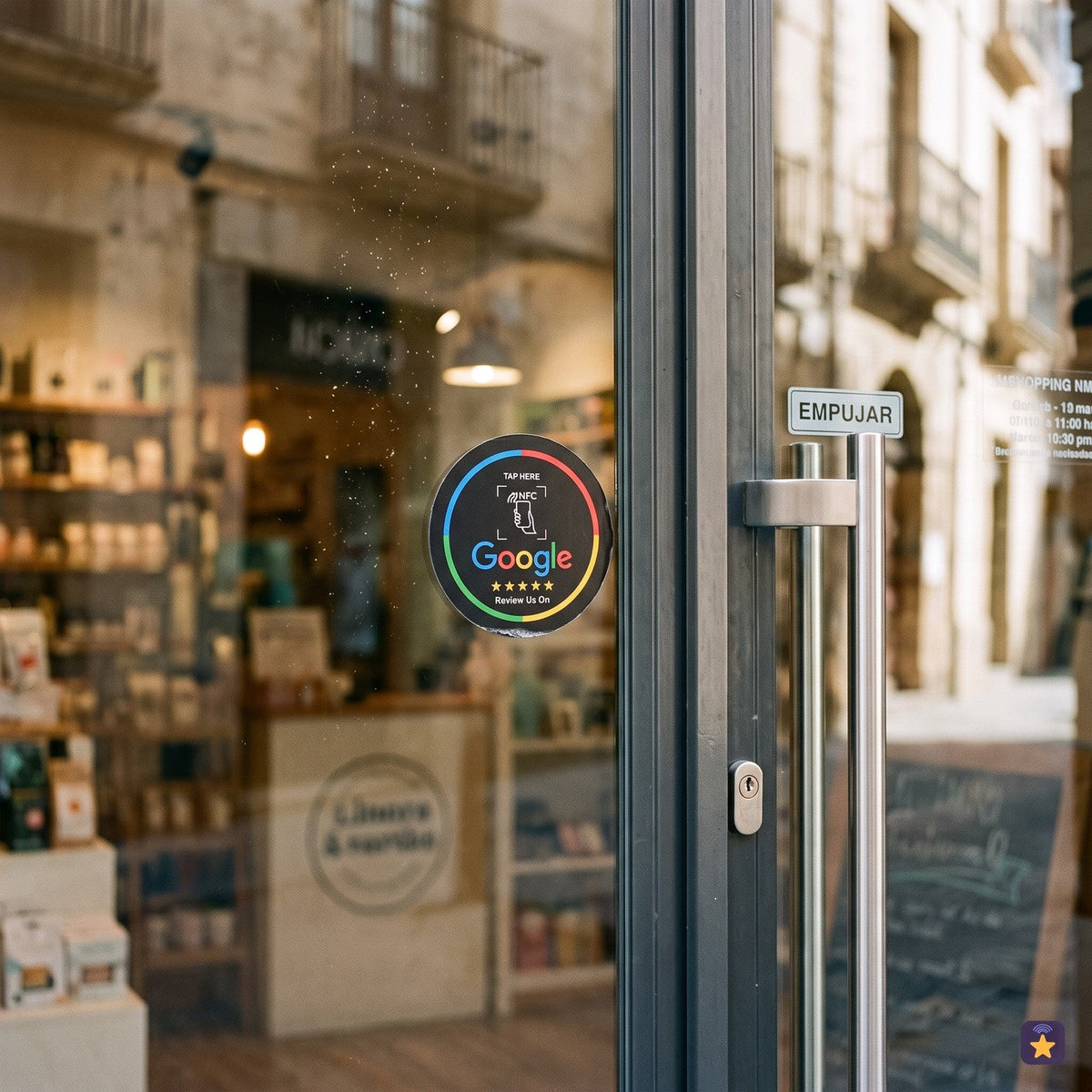
The hardest part is getting customers to remember. An NFC counter plate or an NFC sticker next to the card terminal opens your profile ready to write with just a tap of the phone, and you can download a QR code from the dashboard for phones without NFC.
Step 10: check it every month
Google and users themselves can suggest changes to your profile. Log in once a month, check that everything is still correct and look at the statistics: searches, calls, direction requests and website clicks.
Would you rather we did it for you?
If you don't have time or don't want to wrestle with the menus, at Tocky we offer Google Business Profile optimization for €79: we review categories, description, services, attributes, opening hours and photos, and leave you clear instructions for keeping it up to date. It's a one-off payment. We don't promise specific rankings because nobody can guarantee them; what we do is leave your profile complete, consistent and within Google's guidelines.
And once it's optimized, appearing in the Tocky public business directory gives you one more link to your profile.
Summary
- Verify your profile with a business account.
- Exact, consistent name, address and phone number.
- A specific primary category.
- Complete opening hours, including special hours.
- Services, attributes and real photos.
- A steady flow of reviews, all answered.
Frequently asked questions
How long does it take for an optimized profile to make a difference?
It depends on the competition in your area and your starting point. Information changes go live within days; the effect on visibility is usually gradual.
Can I put keywords in my business name?
No. It must be your real name. Adding keywords breaks Google's guidelines and can lead to your profile being suspended.
Do I need a website to have a Business Profile?
It isn't required, although a simple website with the same information reinforces the consistency of your details.
What does the €79 service include?
A complete review and optimization of your profile and recommendations for maintaining it. You'll find the details on the service page.
The NFC plate that opens your Google listing when a phone gets close. Cards from €8.90 and plates at €14.90, free shipping from €29.
See plates and packs